-
Created by
 Marco Grawunder, last updated on May 05, 2026
2 minute read
Marco Grawunder, last updated on May 05, 2026
2 minute read
Odysseus uses slf4j with logback. In odysseus_dev there is org.slf4j.api.feature. Here are different files defined that can be used to configure logging
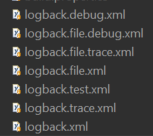
Default is logback.xml which will print only information, warnings and errors. A more detailed information can be get with using debug and even more with trace. The versions with .file. inside print the log output to a file that in configured here.
To change the default behaviour there are two ways:
- You can rename one of the files to logback.xml
- You can define the logback config in the product files.
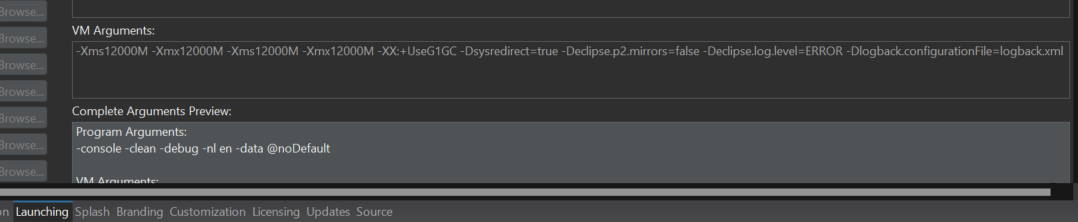
To enable other logging levels in docker
use JAVA_TOOL_OPTIONS in the enviroment part, e.g.:
  standalone01:
    image: odysseusol/odysseus:dev-latest
    stdin_open: true
    restart: always
    ports:
        - 18888:8888
    environment:
       - JAVA_TOOL_OPTIONS=-Dlogback.configurationFile=logback.debug.xml
    volumes:
       - ./standalone01:/var/lib/odysseus
Remark:
- The choices are the same as above.
- If you want to read the logs e.g. in WebStudio you will need to use the file based versions (e.g. logback.file.debug.xml)
Further Error Messages
Add the following file to you working directory of Odysseus to see further error messages. If you run inside eclipse, this file needs to be in the start folder of eclipse.